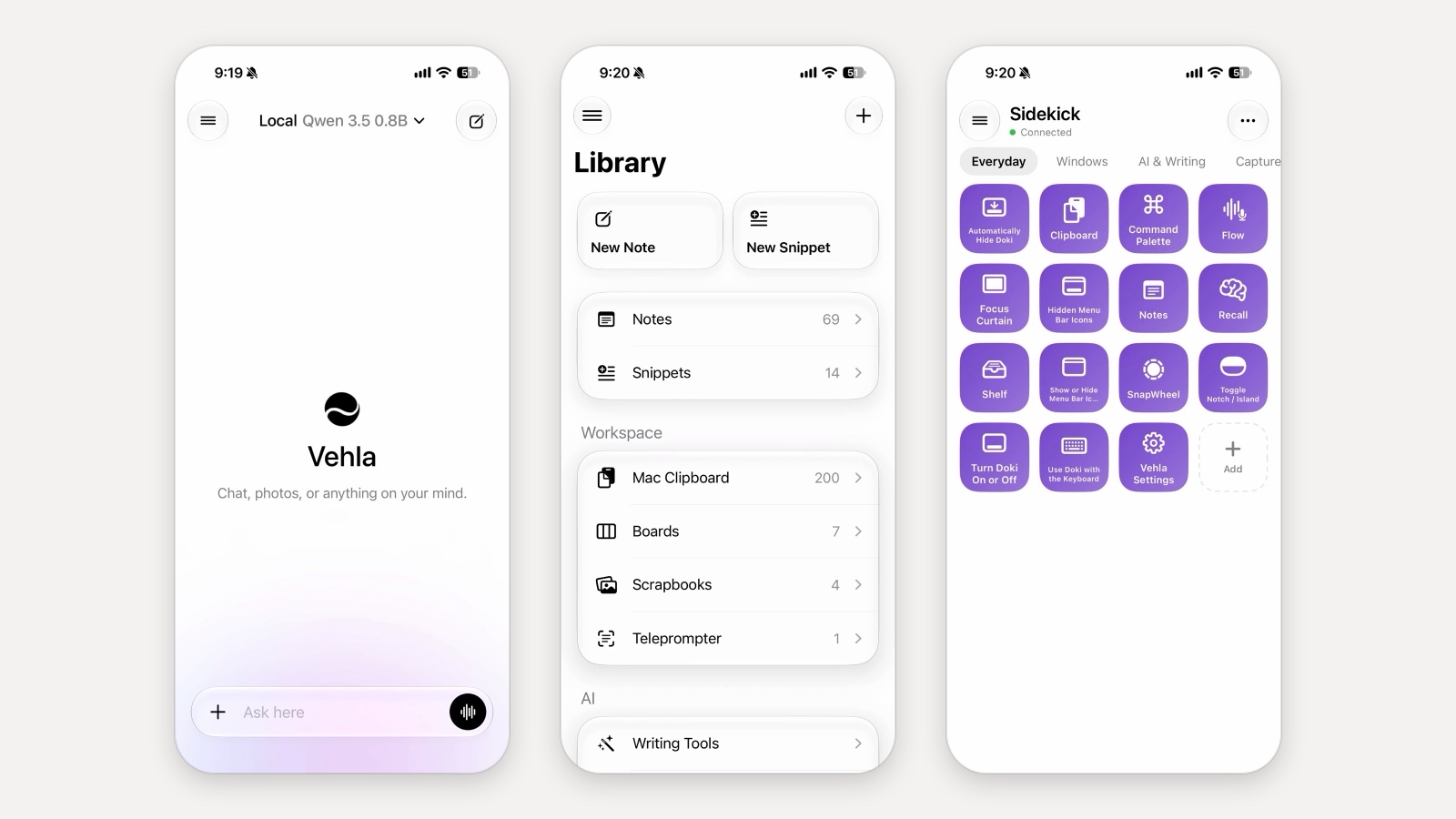
Vehla for iPhone is now in public beta on TestFlight. It is free, it needs iOS 26 or later, and you can install it in a minute from testflight.apple.com/join/G8peDyNY. This page explains what the app does today, what it needs from your Mac, and what the beta still lacks.
The short version: it is three apps in one. A chat app whose models run on the phone itself. A pocket copy of your Vehla library on the Mac, kept in sync through iCloud. And Sidekick, a grid of buttons that control your Mac from across the room.
AI that runs on the phone
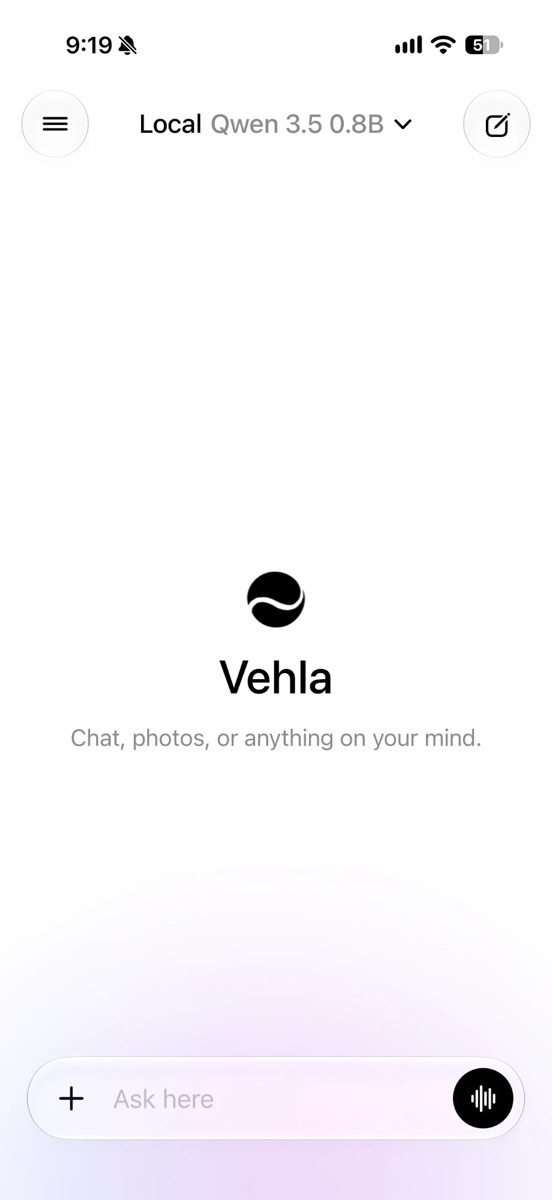
Open the app and you are in a chat. The model picker in the title offers downloaded on-device models and, if you add a key, cloud ones. Local models run through MLX on the phone, so a question never leaves the device and the answer arrives without a connection. The catalog has Qwen 3.5 in 0.8B, 2B and 4B sizes, Gemma 4 E2B and E4B, Ministral 3 3B, and two vision models, Qwen3-VL 2B and Gemma 4 E2B Vision, that can read a photo you attach. Models the phone does not have memory for are listed but cannot be downloaded, so you cannot pick one that would crash.
Downloads keep going when you leave the app or lock the phone, and Settings shows their progress. For cloud models, add your own OpenAI, Claude or Gemini key; it is stored in the iPhone's Keychain, on that device only, and requests go straight from the phone to the provider. Gemini's image models return pictures into the chat.
The composer takes photos from the library or camera, and the microphone button dictates with on-device speech recognition. Any message can be run through Writing Tools: a rewrite tone, one of Vehla's writing tools such as Summarize or Fix Grammar, a custom AI action or a multi-step recipe, and the result can be copied, shared, used as the new text or saved as a note.
Your Mac's library, in your pocket
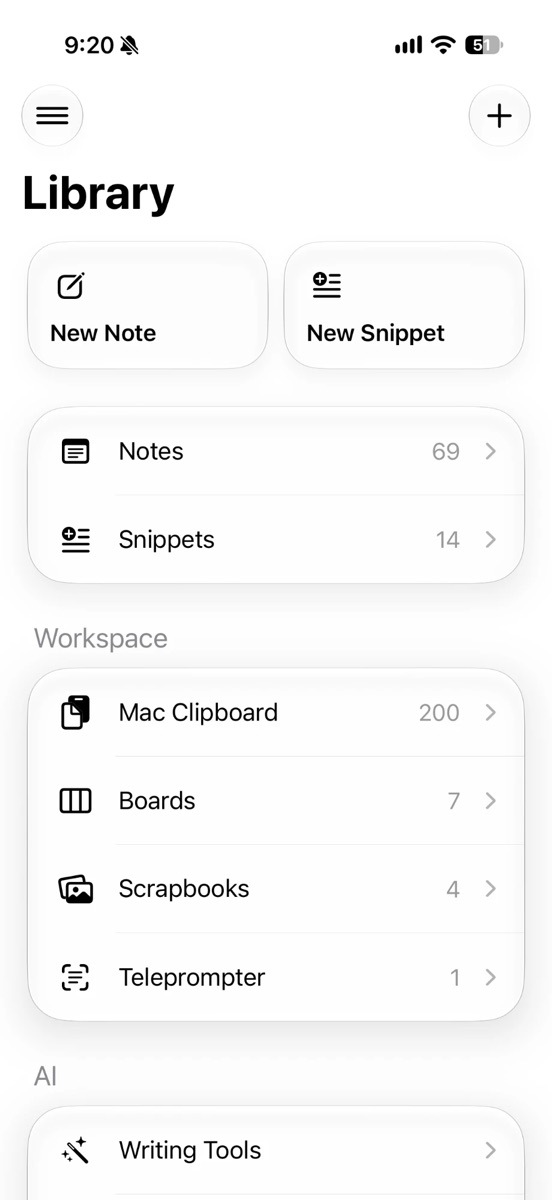
If you use Vehla on a Mac, turn on iCloud Sync there (Settings › Privacy & Pro › iCloud Sync, free for everyone) and the phone fills up with your data: Ask AI chats, Notes with their folders, Snippets, Kanban Boards, Scrapbooks, Teleprompter scripts, and the AI customisations you made, meaning personas, rewrite tones, custom actions and recipes. Edits go both ways. A note you write on the train is on the Mac when you sit down, and a chat you started on the Mac continues on the phone.
Sync uses your own iCloud account's private database. Vehla has no server in the middle, and the synced fields are stored encrypted. Boards show their columns side by side and cards move by drag. Scrapbooks draw their pages at their canvas positions with pinch to zoom. The Teleprompter is a black prompter that follows your voice with the phone's own speech recognition and dims the words you have already said.
Mac Clipboard is the one that gets used most. Turn on Settings › Clipboard › Show on iPhone on the Mac and the phone lists the Mac's latest 200 text clips. Tap one to copy it to the phone; edit, pin or delete it and the change goes back to the Mac. Images and anything Vehla marks as sensitive, such as passwords, are never sent.
Sidekick: a Stream Deck for your Mac
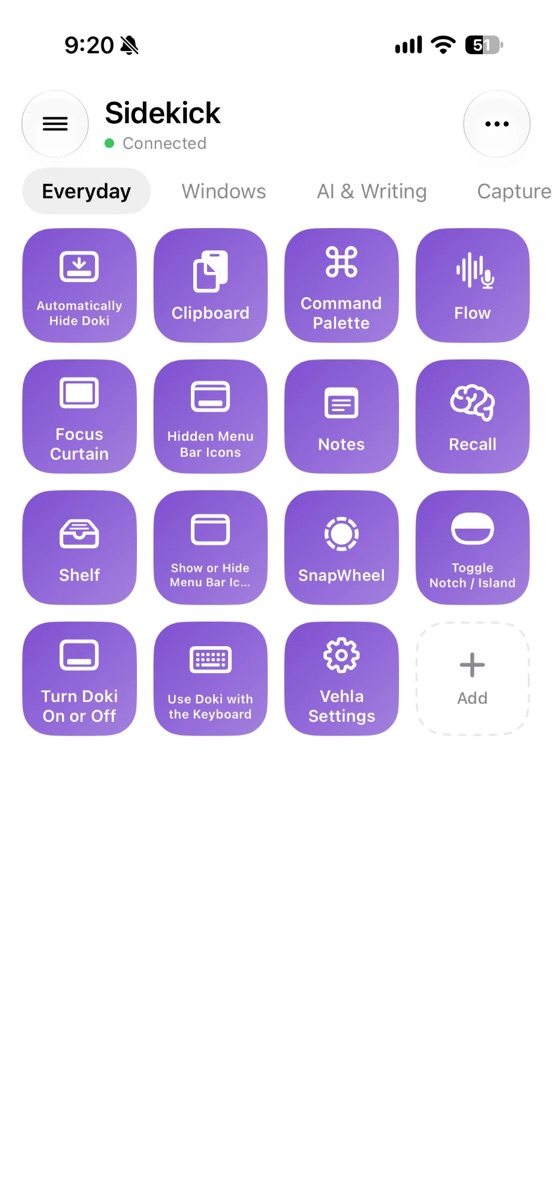
Sidekick turns the phone into a deck of buttons for the Mac. Pair it once by scanning the QR code from Settings › Sidekick on the Mac, and the catalog of a few hundred Vehla commands arrives: open the Command Palette, start Flow dictation, drop the Focus Curtain, show the Shelf, hide the menu bar icons, start a Capto recording, snap windows, run a workflow. Buttons live on pages (Everyday, Windows, AI & Writing, Capture) that you can edit, reorder and add to; a button that does something destructive asks first, and a tick or cross shows whether the press landed.
On the same network the phone talks to the Mac directly. Away from home, a press travels through iCloud and reaches the Mac in a few seconds, as long as iCloud Sync is on at both ends, so you can start a recording or lock the screen from anywhere.
How to join the beta
- Install TestFlight from the App Store if you do not have it.
- Open testflight.apple.com/join/G8peDyNY on the iPhone and tap Accept, then Install. The app is called Vehla.
- Open it, take the short tour, and pick a model in Models. Qwen 3.5 0.8B is the quick one to try first; the 2B and 4B models answer better and take longer to download.
- To see your Mac's data, turn on iCloud Sync in Vehla for Mac (download it free if you do not have it). For the clipboard, also turn on Show on iPhone under Settings › Clipboard. For Sidekick, turn on Sidekick in the Mac's Settings and scan its QR code.
What the beta does not do yet
- Canvases, mind maps, diagrams and voice notes stay on the Mac for now.
- Shell snippets, which run commands, are Mac-only. Text snippets sync.
- There is no keyboard extension, share extension or home-screen widget yet. Those are next.
- TestFlight builds expire after 90 days. The app tells you when a new build is ready, and every new build resets the clock.
Bugs and ideas go through TestFlight's own Send Beta Feedback (shake the phone or take a screenshot) or the Vehla Discord. Most of what is in the app so far came from exactly that.
Frequently asked questions
Is Vehla for iPhone free?
Yes. The iPhone app is free, and iCloud Sync is free on the Mac too. Vehla Pro on the Mac is a separate one-time purchase for Mac features; see pricing.
Do I need a Mac to use it?
No. Chat, on-device models, notes, snippets, boards, scrapbooks and the Teleprompter all work on the phone alone. The Mac Clipboard and Sidekick need Vehla running on a Mac with iCloud Sync on.
Which iPhones can run the local models?
Any iPhone on iOS 26 or later runs the app. The 0.8B and 2B models suit most recent iPhones; the 4B model needs more memory. The app only lets you download models that fit the phone.
Does my data go to Vehla's servers?
No. There are none. Local models run on the phone, cloud models are reached with your own key directly, and sync goes through your private iCloud database with the synced fields stored encrypted.
Can I use ChatGPT, Claude or Gemini in it?
Yes, with your own API key for OpenAI, Anthropic or Google. The key stays in the iPhone's Keychain and never syncs.
Where is the App Store version?
TestFlight is how to get the app right now. Join the beta and you will be told when that changes.
Try it
Install from testflight.apple.com/join/G8peDyNY, pick a model, and tell us what breaks.